
A step-by-step guide to building a background remover you control with plain English using SAM 3 text prompts. Full code included.
Build a natural-language background remover in 100 lines
Most background removers make you do one of two things: carefully click around the edges of an object, or trust a model to guess which "subject" you meant. Both break the moment an image has more than one obvious thing in it.
There's a better interface — just say what to keep. "The dog." "The red car." "The person on the left." That's the whole idea behind the tool we'll build in this post: type a phrase, get back a clean PNG with everything else made transparent.
It runs on SAM 3 text-to-mask segmentation through the SegmentationAPI, and the entire thing — a Python core, a tiny server, and a single-page web UI — comes out to about a hundred lines.
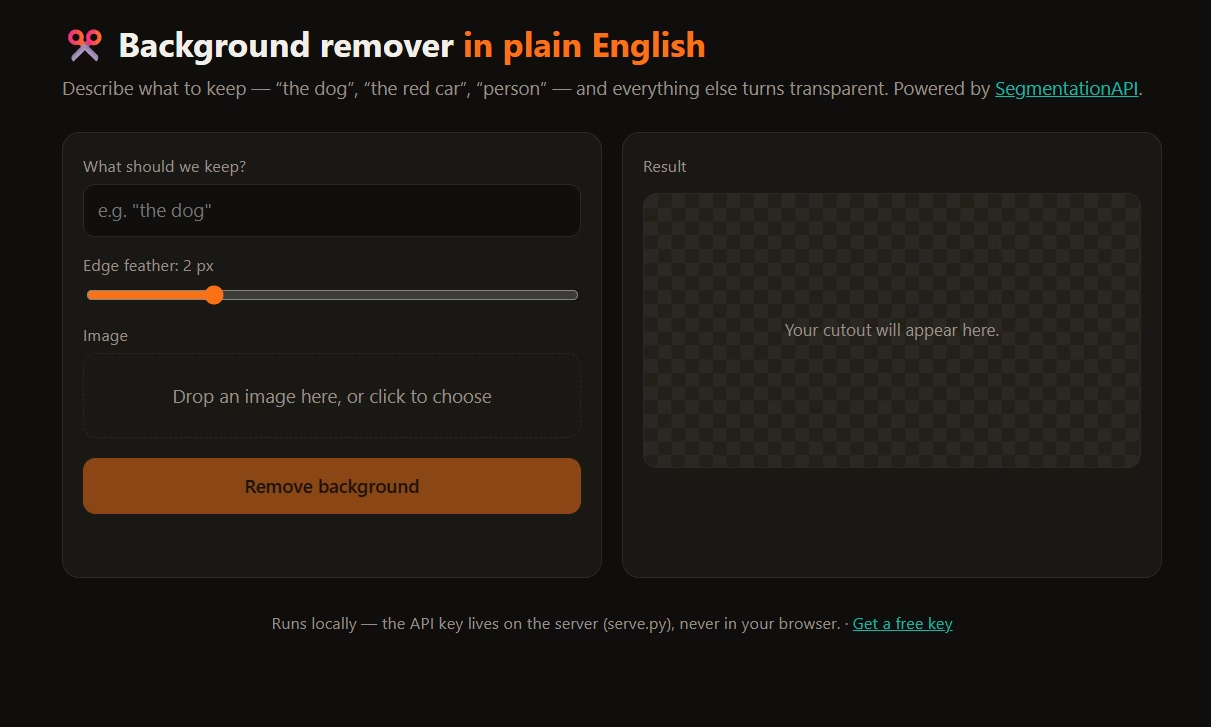
What we're building
Three small pieces, each doing one job:
| File | Lines | Job |
|---|---|---|
background_remover.py | ~65 | The core: remove_background(image, prompt, api_key) → a transparent PNG. |
serve.py | ~45 | A tiny local server so the browser never touches your API key. |
index.html | — | The web UI: drop an image, type a prompt, download the cutout. |
By the end you'll have a working app and — more importantly — a pattern you can drop into your own product.
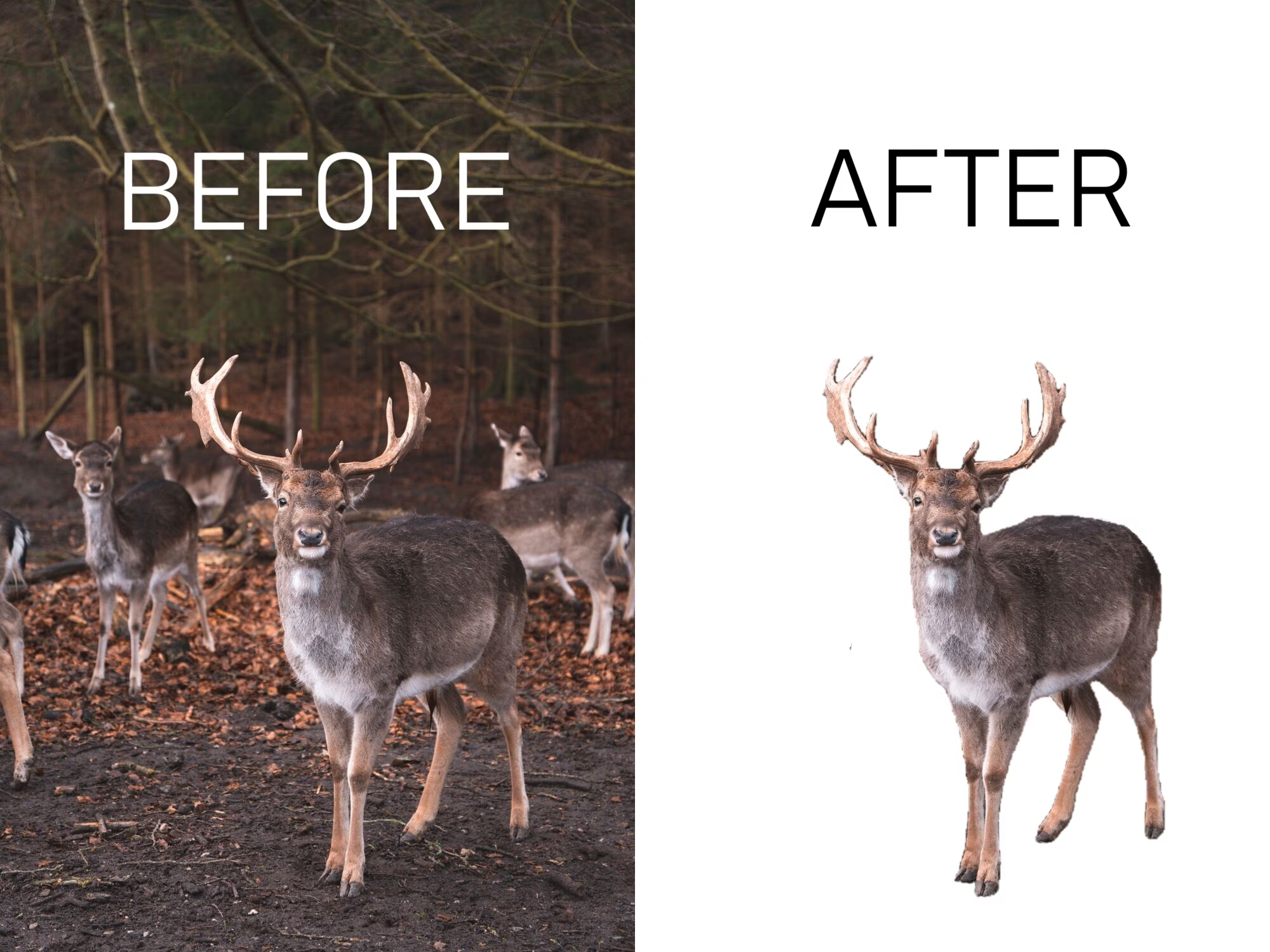
Why natural language?
Click-based tools and "auto subject" models share the same weakness: they don't know what you actually want. A product photo might contain a model, a bag, and a chair. "Remove the background" is ambiguous — but handbag isn't.
Describing the target in words gives you three things for free:
- Precision — you pick the object, not the model.
- Repeatability — the same prompt across a thousand images means consistent output. Great for catalogs, datasets, and moderation.
- No UI to build — the "selection tool" is a text box.
Prerequisites
- Python 3.10+
- A free SegmentationAPI key — grab one at segmentationapi.com
- About ten minutes
Set your key as an environment variable so it never gets hard-coded:
export SEGMENTATIONAPI_KEY=sk-your-key-here
Step 1 — The core function
Everything important happens in one function. Given a PIL image and a prompt, it talks to the API and hands back a transparent PNG. Let's build it up in four moves.
First, upload the image. The API hands you a short-lived URL to PUT the file to — your image goes straight to storage instead of through a server.
import io, json, time, zipfile
import numpy as np, requests
from PIL import Image, ImageFilter

API = "https://api.segmentationapi.com/v1"

def remove_background(image, prompt, api_key, feather=2.0):
    headers = {"x-api-key": api_key}
    image = image.convert("RGB")

    png = io.BytesIO()
    image.save(png, "PNG")
    upload = requests.post(f"{API}/uploads/presign", headers=headers,
                           json={"contentType": "image/png"}).json()
    requests.put(upload["uploadUrl"], data=png.getvalue(),
                 headers={"Content-Type": "image/png"})
Next, create the job and wait. This is where the prompt does its work: "prompts": [prompt] is the entire "selection" step.
    job = requests.post(f"{API}/jobs", headers=headers, json={
        "type": "image", "tasks": [upload["taskId"]], "prompts": [prompt],
    }).json()["jobId"]

    while True:
        time.sleep(2.5)
        tasks = requests.get(f"{API}/jobs/{job}", headers=headers).json().get("tasks", [])
        if tasks and all(t["status"] in ("success", "failed") for t in tasks):
            break
Then download the results. They arrive as a small archive containing a manifest plus one PNG per detected object.
    requests.post(f"{API}/jobs/{job}/download", headers=headers)
    while True:
        info = requests.get(f"{API}/jobs/{job}/download", headers=headers).json()
        if info["status"] == "ready":
            break
        time.sleep(info.get("retryAfterSeconds") or 3)
    archive = zipfile.ZipFile(io.BytesIO(requests.get(info["downloadUrl"]).content))
    manifest = json.loads(archive.read(
        next(n for n in archive.namelist() if n.endswith("output_manifest.json"))))
Finally, composite. Each match is a black-and-white mask. We take the per-pixel maximum to merge every match into one selection (so person keeps the whole crowd), blur the edge a touch so the cutout doesn't look like it was cut with scissors, and use that as the image's alpha channel.
    alpha = np.zeros((image.size[1], image.size[0]), np.uint8)
    for item in manifest["items"]:
        for mask in item["masks"]:
            name = next(n for n in archive.namelist() if n.endswith(mask["url"].split("/")[-1]))
            m = Image.open(io.BytesIO(archive.read(name))).convert("L").resize(
                image.size, Image.NEAREST)
            alpha = np.maximum(alpha, np.asarray(m, np.uint8))
    alpha = np.asarray(Image.fromarray(alpha).filter(ImageFilter.GaussianBlur(feather)), np.uint8)

    out = np.asarray(image.convert("RGBA")).copy()
    out[:, :, 3] = alpha
    return Image.fromarray(out, "RGBA")
That's the whole engine. No model weights, no GPU, no edge-detection heuristics — the prompt did the hard part.
Step 2 — A tiny server
You could call the API straight from the browser, but then your key would be sitting in the page for anyone to grab. So we put a thin server in front. It does two things: serve the page, and run the removal when the page asks. The key stays on the server.
import base64, io, json, os
from http.server import BaseHTTPRequestHandler, ThreadingHTTPServer
from pathlib import Path
from PIL import Image
from background_remover import remove_background

HERE = Path(__file__).parent

class Handler(BaseHTTPRequestHandler):
    def do_GET(self):
        self._send("text/html", (HERE / "index.html").read_bytes())

    def do_POST(self):
        payload = json.loads(self.rfile.read(int(self.headers["Content-Length"])))
        image = Image.open(io.BytesIO(base64.b64decode(payload["image"].split(",", 1)[1])))
        result = remove_background(image, payload["prompt"], os.environ["SEGMENTATIONAPI_KEY"],
                                   feather=payload.get("feather", 2.0))
        out = io.BytesIO()
        result.save(out, "PNG")
        self._send("image/png", out.getvalue())

    def _send(self, ctype, body):
        self.send_response(200)
        self.send_header("Content-Type", ctype)
        self.send_header("Content-Length", str(len(body)))
        self.end_headers()
        self.wfile.write(body)

print("http://localhost:8000")
ThreadingHTTPServer(("", 8000), Handler).serve_forever()
Stdlib only. The browser sends a base64 image and a prompt; it gets a finished PNG back.
Step 3 — The front end
The UI is deliberately boring: a prompt box, an image drop zone, a button. When you hit go, it reads the file, POSTs it, and shows whatever comes back on a checkerboard so the transparency is visible.
async function run() {
  setStatus("Removing background…");
  const dataUrl = await fileToDataUrl(imageFile);
  const resp = await fetch("/api/remove", {
    method: "POST",
    headers: { "Content-Type": "application/json" },
    body: JSON.stringify({ image: dataUrl, prompt, feather: 2 }),
  });
  showResult(await resp.blob());
}
Run it
pip install -r requirements.txt
export SEGMENTATIONAPI_KEY=sk-your-key-here
python serve.py
Open http://localhost:8000, drop in a photo, type what to keep, and download the result.

How it works under the hood
If you skipped the code, here's the whole pipeline in five steps:
- Upload —
POST /v1/uploads/presign, then PUT the image to the returned URL. - Segment —
POST /v1/jobswithtype: "image"and your text prompt. - Wait — poll
GET /v1/jobs/{id}until it's done. - Fetch — pull the result archive: a manifest plus one mask per matched object.
- Composite — union the masks, feather the edge, set it as the alpha channel.
Make it yours
A few easy upgrades once the basics click:
- Replace the background instead of removing it — paste the cutout onto a solid color or a new scene.
- Batch a folder — loop
remove_backgroundover a directory for catalogs or datasets. - Expose the feather as a slider so users can dial edge softness.
- Tighten the selection with a more specific prompt —
red handbaginstead ofbag.
Wrapping up
The interesting part here isn't the hundred lines of glue — it's the interface. "Tell me what to keep" turns out to be a far better primitive than "click the thing" or "guess the subject," and once segmentation is a single API call, you can build it into anything: a product-photo tool, a dataset pipeline, a moderation step.
Grab the full source from our examples repo, get a free key at segmentationapi.com, and ship your own version.